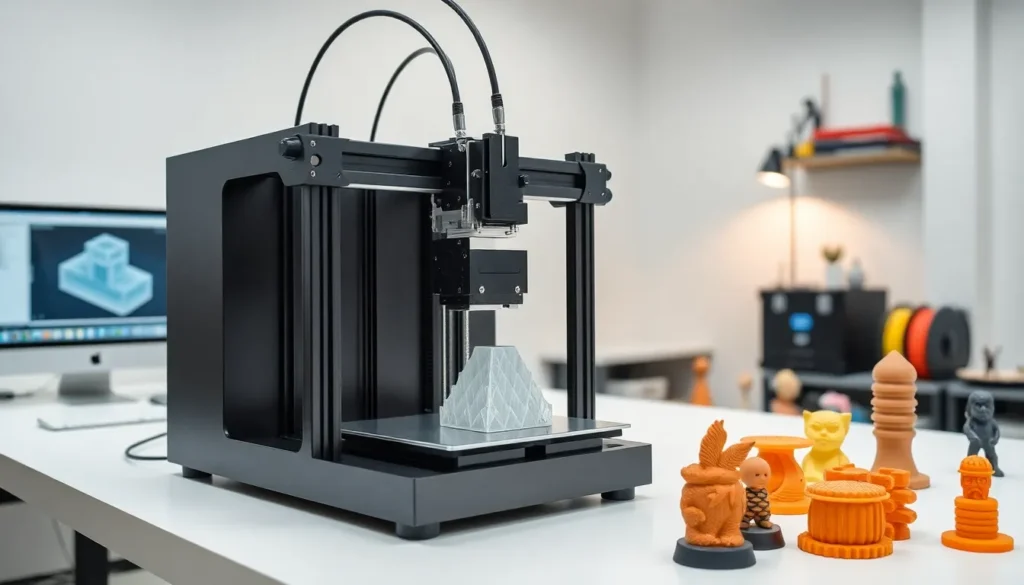
3D printing has changed how people create physical objects. This technology builds items layer by layer from digital designs. Manufacturers, hobbyists, and medical professionals now use 3D printing for everything from prototypes to custom prosthetics.
But what is 3D printing exactly? At its core, 3D printing, also called additive manufacturing, turns a digital file into a solid, three-dimensional object. Unlike traditional manufacturing that cuts material away, 3D printing adds material precisely where needed. This guide covers how the technology works, the different types available, and where 3D printing makes the biggest impact today.
Table of Contents
ToggleKey Takeaways
- 3D printing is an additive manufacturing process that builds objects layer by layer from digital designs, unlike traditional methods that cut material away.
- Common 3D printing technologies include FDM for hobbyists, SLA for precision work, and SLS/MJF for industrial applications.
- Materials range from beginner-friendly PLA plastic to metals like titanium, enabling applications from prototypes to aerospace components.
- 3D printing excels at design freedom, rapid prototyping, and customization but remains slower and more costly than traditional manufacturing at scale.
- Industries including healthcare, aerospace, and education now use 3D printing for surgical guides, lightweight parts, and hands-on learning projects.
How 3D Printing Works
3D printing follows a straightforward process. It starts with a digital 3D model created in CAD (computer-aided design) software or downloaded from online repositories. The software slices this model into hundreds or thousands of thin horizontal layers.
A 3D printer then builds the object one layer at a time. The printer deposits or solidifies material according to each slice’s specifications. Layer bonds to layer until the complete object takes shape.
Here’s the basic workflow:
- Design or download a 3D model file (typically STL or OBJ format)
- Import the file into slicing software
- Configure print settings like layer height, speed, and temperature
- Send the file to the 3D printer
- Print the object layer by layer
- Post-process the finished print (remove supports, sand, paint)
Most desktop 3D printers heat plastic filament and extrude it through a nozzle. Industrial machines may use lasers, UV light, or electron beams to fuse powdered materials. The specific method depends on the 3D printing technology and material being used.
Print times vary widely. A small keychain might take 30 minutes. A detailed figurine could require 8 hours. Large industrial parts sometimes print for days.
Common Types of 3D Printing Technology
Several 3D printing technologies exist, each with distinct advantages. The right choice depends on budget, material needs, and desired finish quality.
Fused Deposition Modeling (FDM)
FDM is the most common 3D printing method for consumers and hobbyists. The printer heats thermoplastic filament and extrudes it through a nozzle onto a build platform. FDM machines are affordable, easy to use, and work with many materials. Print resolution is lower than other methods, and layer lines remain visible without post-processing.
Stereolithography (SLA)
SLA uses a UV laser to cure liquid resin into solid plastic. This 3D printing technology produces smooth surfaces and fine details. Jewelry makers, dentists, and engineers prefer SLA for precision work. Resin costs more than filament, and prints require washing and additional UV curing.
Selective Laser Sintering (SLS)
SLS uses a laser to fuse powdered material, usually nylon, into solid objects. The surrounding powder supports the print, so no support structures are needed. SLS produces strong, functional parts suitable for end-use applications. These machines are expensive and typically found in industrial settings.
Multi Jet Fusion (MJF)
HP developed MJF for high-speed production. This 3D printing process uses inkjet arrays to apply fusing agents to powder beds. An infrared heat source then fuses the material. MJF produces consistent, strong parts faster than SLS.
Materials Used in 3D Printing
3D printing works with a surprising range of materials. Material choice affects strength, flexibility, appearance, and cost.
Plastics dominate the 3D printing material landscape:
- PLA (Polylactic Acid): Biodegradable, easy to print, ideal for beginners
- ABS (Acrylonitrile Butadiene Styrene): Durable, heat-resistant, used in automotive parts
- PETG: Strong, flexible, food-safe options available
- Nylon: Tough and wear-resistant for functional parts
- TPU: Flexible rubber-like material for phone cases and gaskets
Resins for SLA and DLP 3D printing include standard, tough, flexible, and castable formulations. Dental and medical resins meet strict biocompatibility requirements.
Metals enable industrial 3D printing applications. Stainless steel, titanium, aluminum, and cobalt-chrome alloys produce aerospace components, medical implants, and tooling. Metal 3D printing requires expensive equipment and specialized expertise.
Other materials continue expanding possibilities. Ceramics, carbon fiber composites, wood-filled filaments, and even concrete have found 3D printing applications. Researchers experiment with bioprinting living cells for medical research.
Popular Applications of 3D Printing
3D printing has moved well beyond prototyping. Industries now use additive manufacturing for production parts, custom products, and applications previously impossible with traditional methods.
Healthcare and Medical
Hospitals use 3D printing to create patient-specific surgical guides, anatomical models for pre-operative planning, and custom prosthetics. Dental labs print crowns, aligners, and implant guides. Researchers develop 3D-printed organs and tissues for transplant research.
Aerospace and Automotive
3D printing reduces weight in aircraft components while maintaining strength. SpaceX, Boeing, and Airbus incorporate printed parts in engines and airframes. Automotive companies prototype designs faster and print low-volume replacement parts on demand.
Consumer Products
From custom jewelry to personalized phone cases, 3D printing enables mass customization. Companies offer 3D-printed eyewear, footwear insoles, and home décor items. Hobbyists print replacement parts, cosplay props, and artistic creations.
Education and Research
Schools use 3D printing to teach design, engineering, and manufacturing concepts. Students create hands-on projects instead of just viewing diagrams. Universities research new materials, printing methods, and applications.
Architecture and Construction
Architects print detailed building models in hours instead of days. Some companies now 3D print entire houses using concrete extrusion. This approach could address housing shortages in developing regions.
Benefits and Limitations of 3D Printing
3D printing offers clear advantages over traditional manufacturing in certain situations. But the technology has limitations that make it unsuitable for every application.
Key Benefits
Design freedom: 3D printing creates geometries impossible with machining or molding. Internal channels, lattice structures, and organic shapes present no problem.
Rapid prototyping: Designers test ideas in hours rather than weeks. Fast iteration speeds product development.
Customization: Each print can differ without retooling costs. Medical devices, dental appliances, and consumer products benefit from personalization.
Reduced waste: Additive manufacturing uses only needed material. Subtractive methods cut away and discard excess stock.
On-demand production: Companies print parts when needed instead of warehousing inventory. This reduces storage costs and obsolescence risk.
Current Limitations
Speed: 3D printing is slow for mass production. Injection molding produces thousands of parts faster than a single 3D printer.
Material properties: Printed parts may have lower strength than traditionally manufactured equivalents. Layer adhesion creates potential weak points.
Size constraints: Most printers have limited build volumes. Very large objects require assembly or industrial equipment.
Surface finish: Layer lines are often visible, especially on FDM prints. Post-processing adds time and labor.
Cost at scale: Per-unit costs remain high for large quantities. Traditional manufacturing becomes more economical above certain volumes.