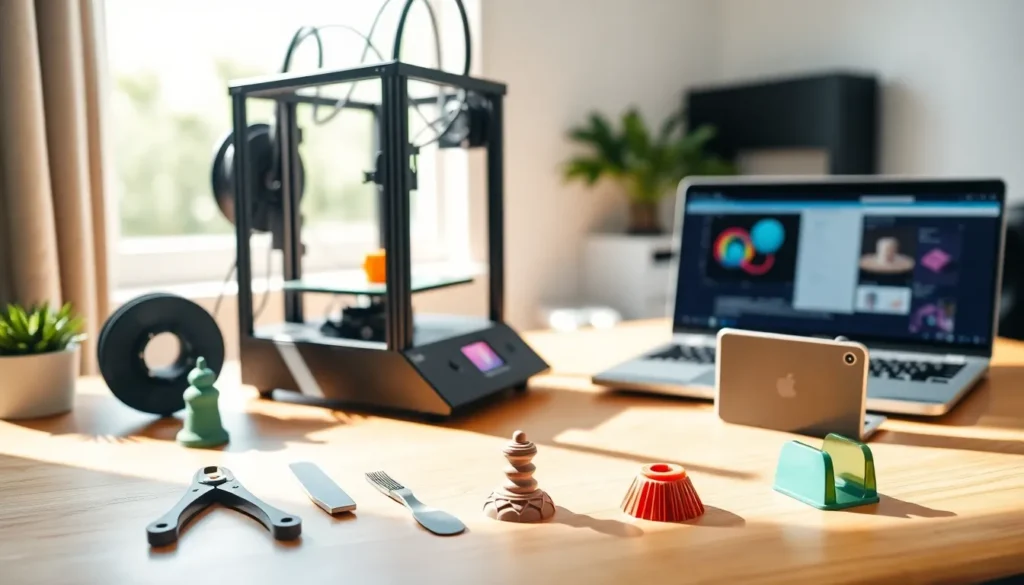
3D printing for beginners can feel overwhelming at first. The technology has exploded in popularity, with home printers now costing less than a smartphone. But where do you actually start?
This guide breaks down everything a newcomer needs to know. From understanding how the technology works to making that first successful print, each section covers practical, actionable steps. No prior experience required, just curiosity and a willingness to learn.
Table of Contents
ToggleKey Takeaways
- 3D printing for beginners is most accessible with FDM printers, which heat plastic filament and build objects layer by layer.
- Quality entry-level 3D printers cost $200–$400, with models like the Creality Ender 3 and Bambu Lab A1 Mini offering excellent community support.
- PLA filament is the best starting material for beginners due to its low printing temperature, minimal warping, and ease of use.
- Thousands of free 3D models are available on sites like Thingiverse and Printables, so you can start printing without designing your own files.
- Proper bed leveling and watching the first layer are critical steps that prevent most beginner printing failures.
- Embrace failed prints as learning opportunities—3D printing for beginners involves a natural learning curve that improves with practice.
What Is 3D Printing and How Does It Work
3D printing creates physical objects from digital files. A machine builds items layer by layer, stacking thin slices of material until the final shape emerges. Think of it like a very precise hot glue gun drawing patterns that stack on top of each other.
The most common type for beginners is FDM (Fused Deposition Modeling). An FDM printer heats plastic filament until it melts, then pushes it through a nozzle. The nozzle moves along a set path, depositing material according to instructions from a digital file.
Here’s the basic process:
- Design or download a 3D model file (usually in STL format)
- Slice the model using software that converts it into printer instructions
- Print by sending those instructions to the machine
- Remove and finish the completed object
Resin printers offer another option. They use UV light to cure liquid resin into solid shapes. Resin printing produces finer details but requires more cleanup and safety precautions. For 3D printing for beginners, FDM remains the easier starting point.
Print times vary widely. A small keychain might take 30 minutes. A detailed figurine could run 8 hours or more. Patience becomes part of the hobby.
Choosing Your First 3D Printer
Picking a first printer doesn’t require a massive budget. Quality entry-level machines now sell for $200-$400. The sweet spot for 3D printing for beginners sits right in that range.
Consider these factors when shopping:
Build volume determines how large objects can be. A 220x220x250mm bed handles most beginner projects. Larger isn’t always better, bigger prints take longer and use more material.
Assembly level matters for setup. Some printers arrive fully assembled. Others come as kits requiring several hours of construction. Pre-assembled models get you printing faster, but kit building teaches how the machine works.
Community support proves invaluable. Popular printer models have active forums, YouTube tutorials, and troubleshooting guides. When something goes wrong (and it will), that community becomes your lifeline.
The Creality Ender 3 series has dominated the beginner market for good reason. It’s affordable, reliable, and extremely well-documented. The Bambu Lab A1 Mini offers a more premium experience with easier setup. Anycubic Kobra models provide solid middle-ground options.
Avoid the cheapest printers on the market. Sub-$150 machines often create more frustration than finished prints. Spending slightly more upfront saves headaches later.
One more tip: buy from retailers with good return policies. Testing a printer in your own space beats trusting online reviews alone.
Essential Materials and Tools You Need
Every 3D printing setup requires supplies beyond the printer itself. Stock up on these essentials before your first print.
Filament feeds the machine. PLA (Polylactic Acid) works best for beginners. It prints at lower temperatures, doesn’t warp easily, and produces minimal odor. A 1kg spool costs $15-25 and lasts through many projects. Stick with PLA until you’re comfortable, then explore PETG or ABS for different properties.
Buy quality filament from reputable brands. Cheap filament causes clogs, inconsistent prints, and general frustration. Hatchbox, Overture, and Polymaker offer reliable options.
Removal tools help get prints off the bed. A thin spatula or scraper works for most jobs. Some makers prefer a flexible build plate that bends to release prints.
Cleanup supplies handle the finishing work:
- Flush cutters for removing support material
- Sandpaper in various grits for smoothing surfaces
- Needle-nose pliers for tight spots
- Isopropyl alcohol for bed cleaning
Bed adhesion helpers prevent prints from shifting mid-job. Glue sticks, blue painter’s tape, or specialized bed surfaces improve adhesion. Different filaments prefer different solutions, experimentation reveals what works best.
A dedicated workspace matters more than beginners expect. 3D printing produces fine particles and requires stable temperatures. A desk in a ventilated room with consistent temperature yields better results than a drafty garage.
3D printing for beginners gets easier when the right tools sit within arm’s reach.
Finding and Creating 3D Models
New printers don’t need to design their own models. Thousands of free files exist online, ready to download and print.
Thingiverse remains the largest free repository. Search for anything, phone stands, planters, toys, replacement parts, and find dozens of options. Printables (run by Prusa) offers another excellent free library with quality filtering.
Paid marketplaces like Cults3D and MyMiniFactory feature premium designs. Artists sell detailed models for a few dollars. The quality often exceeds free alternatives.
When downloading files, check these details:
- Read comments from people who’ve printed it
- Look for recommended print settings
- Verify the file works with your printer type
- Check licensing if you plan to sell printed objects
Ready to design your own models? Start simple.
Tinkercad offers free browser-based modeling perfect for beginners. It uses basic shapes that combine and subtract from each other. Within an hour, anyone can design a custom name tag or phone holder.
Fusion 360 provides professional-level tools with a free hobby license. The learning curve runs steeper, but capabilities expand dramatically. YouTube tutorials cover every feature.
Blender handles organic shapes and artistic designs. It’s free, powerful, and popular among creators making figurines or decorative items.
Most 3D printing for beginners starts with downloaded files. Creating original designs comes naturally after understanding how prints actually work.
Tips for Successful First Prints
First prints teach more than any guide ever could. But these tips improve the odds of success.
Level the bed properly. An unlevel print bed causes 90% of beginner failures. Take time to get this right. The nozzle should sit close enough to the bed that paper slides underneath with slight resistance. Many printers include auto-leveling, but manual checks still help.
Start with simple models. Print a calibration cube or a basic test object first. Fighting with a complex model while learning the machine doubles the frustration. Success builds confidence.
Watch the first layer. That initial layer determines everything. If it doesn’t stick, stop and adjust. If it looks squished or scratchy, recalibrate. A good first layer appears smooth with lines slightly pressed together.
Use supports when needed. Overhangs beyond 45 degrees typically require support structures. Slicing software adds these automatically when enabled. Learning when supports help, and when they’re unnecessary, takes practice.
Control temperature. Print quality suffers in drafty rooms or extreme temperatures. Consistent ambient conditions produce consistent results. Some makers build enclosures around their printers for this reason.
Keep notes. Record what works and what doesn’t. Settings that print PLA perfectly might fail with PETG. A notebook or spreadsheet saves time when troubleshooting future issues.
Embrace failure. Failed prints happen to everyone. Each failure teaches something about the machine, materials, or process. 3D printing for beginners involves a learning curve, that’s part of the fun.
Patience and iteration lead to better prints. The tenth attempt usually beats the first by a wide margin.